







| Version 5 (modified by bensch, 22 years ago) (diff) |
|---|
Windows Tutorial
- At first you will need subversion from [subversion.tigris.org]. There is also a GUI version out there at http://tortoisesvn.tigris.org (The commandline svn is probably the right choice if you are experienced with the shell, and for advanced work)
- Download and install MinGW
- Download and install msys
- choose another path than minGW for msys installation
- while installing say twice yes (y)
- give the exact path to the minGW directory, so msys can configure the important links.
- Install msysDTK to the same direcory as msys.
- Extract and copy the content of autoconf and automake to msys (this will overwrite the obsolete autoconf of msysDTK) Extract and Copy the content of libSDL to the minGW directory.
- Textures: extract [ttp://www.orxonox.ethz.ch/files/mingw/Development/mingw/SDL_image-devel-1.2.4-VC6.zip SDL_image h] into your minGW directory. Runtime Support: here
- Sound: extract SDL_mixer. Runtime Support: here.
- OPTIONAL: if you want the GTK-gui and the console to work, Extract the GTK-dev-package to the minGW directory.
- Checkout the code from https://svn.orxonox.ethz.ch/reporx/orxonox to a place of your convenience and work with it.
- If you want runtime support download SDL-Runtime , SDL_Mixer-libs and several gtk-runtime-libs.
(note that all packages can be downloaded from from http://mingw.org)
Attachments (5)
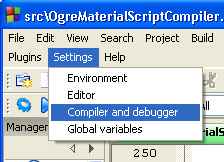
- CB_SetC_D.jpg (8.0 KB) - added by landauf 19 years ago.
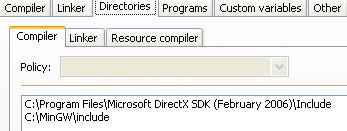
- CB_CompilerDir.jpg (8.0 KB) - added by landauf 19 years ago.
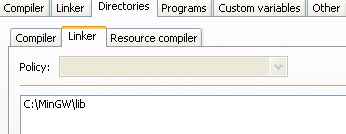
- CB_LinkerDir.jpg (5.9 KB) - added by landauf 19 years ago.
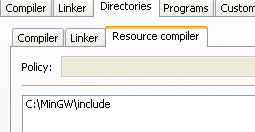
- CB_ResDir.jpg (5.0 KB) - added by landauf 19 years ago.
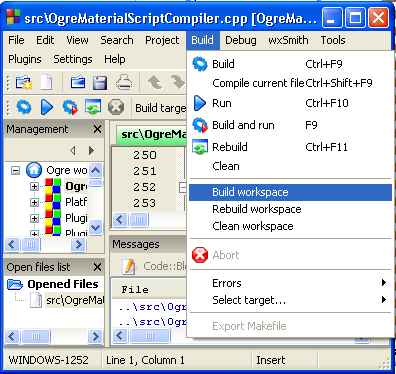
- CB_BuildWorkspace.jpg (27.1 KB) - added by landauf 19 years ago.
Download all attachments as: .zip